 Seekframe
Instant
Results while you type — tens of thousands of frames searched in milliseconds. No spinner, no waiting.
Type red car at night
or whiteboard with a diagram
. Seekframe jumps to the exact second in the right video — across every folder and drive on your Mac. Nothing is uploaded.
Free for one folder · macOS 14 or later · Apple silicon
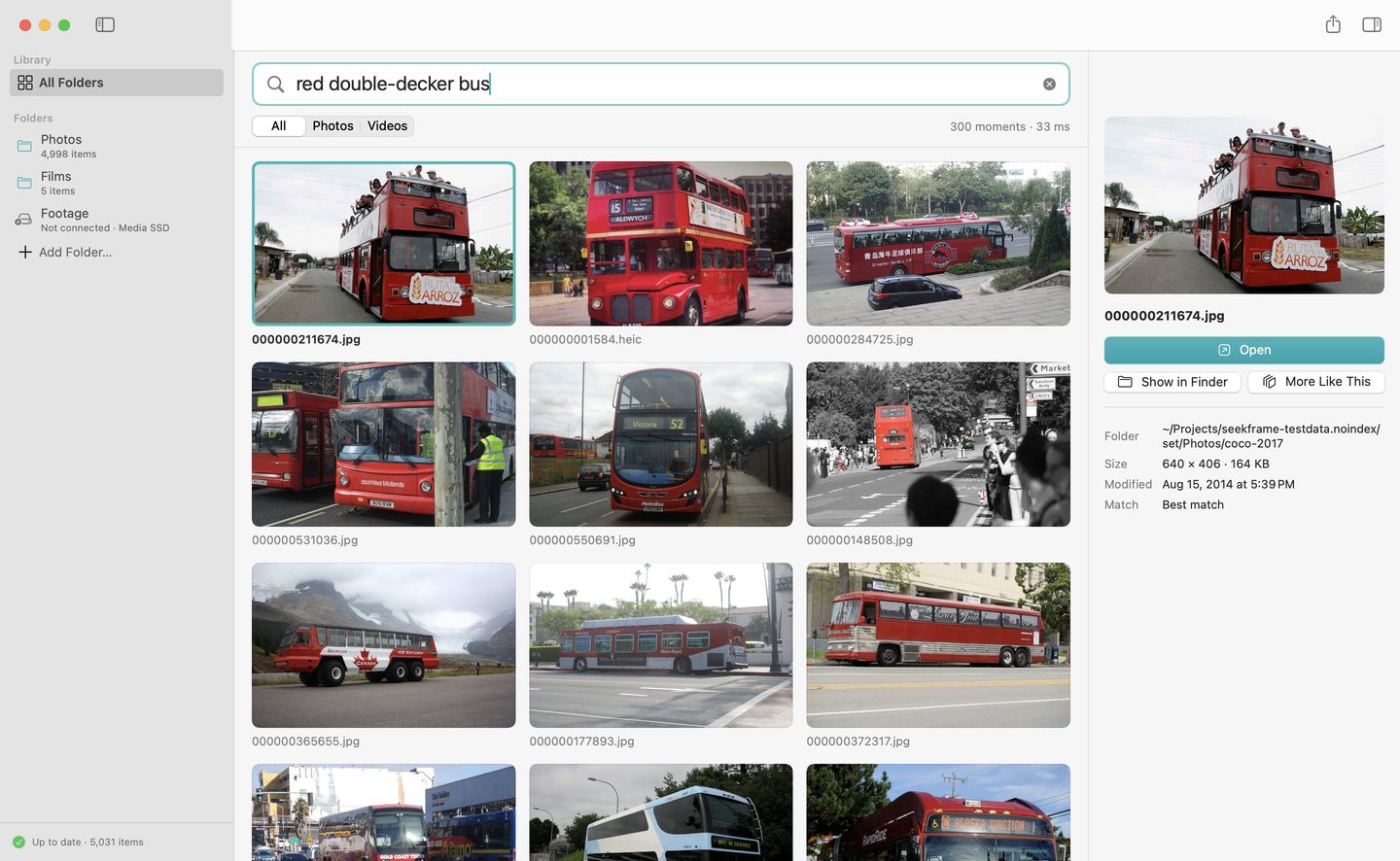
Results while you type — tens of thousands of frames searched in milliseconds. No spinner, no waiting.
Seekframe finds the moment inside the video, not just the file. Return opens it right there.
External drives and NAS shares come and go. What Seekframe learned about them stays, so you can search a drive that isn't plugged in and see what is where.
Drop a photo on the window, or choose More Like This on any result, to find the pictures and scenes that look like it.
Describe it the way you remember it — in English, Spanish, Portuguese and many more.
Drag results into Final Cut Pro or Finder. Pro exports every found moment as markers on a timeline for Final Cut Pro and DaVinci Resolve.
Seekframe analyses your photos and videos with a model that runs on your Mac. No account, no cloud, no analytics, no crash reports. The Mac App Store edition doesn't even have permission to use the network.
Free
$19.99 one-time
No subscription. No trial that runs out — the free version is yours for good.
No. Everything is analysed on your Mac and stays there. Seekframe has no account, no cloud and collects nothing.
Photos in every format your Mac opens — JPEG, HEIC, PNG, RAW from most cameras — and videos in MP4, MOV and M4V, including HEVC and ProRes. MKV, WebM and AVI files are counted but not indexed, because macOS can't play them.
On an M1 Pro, about 113 photos a second and an hour of video in about 26 seconds. You can search while it works: results appear as soon as the first files are done. Pause it any time.
Seekframe uses the Neural Engine, which is built for exactly this and barely warms the Mac. It pauses by itself in Low Power Mode and when the Mac gets warm, and goes on where it stopped.
Yes, with Pro. When a drive is unplugged its results still show, marked as not connected; plug it back in and they open again. Anything new on it is indexed then.
Photos searches only its own library. Seekframe searches the folders and drives where your files actually live — and finds the exact second inside long videos.
$19.99, once. No subscription. The free version never expires.